
Searching Cases by Name
Nail down the venue before typing a name. In Parmer County, the District Clerk keeps felony and district civil records for the 287th District Court. The County Clerk serves the constitutional County Court. Three justice precincts and the Bovina, Farwell, and Friona municipal courts keep their own lower-court dockets. A search against the wrong office can return nothing even when the record exists. Read the citation, notice, order, or prior letter first.
- Open the official re:SearchTX portal or contact the court named in the record.
- Choose the Cases view and enter the available name or case-description terms.
- Use the available filters to narrow court, case, filing, hearing, or date context. Exact controls may vary.
- Open a case-description link to inspect Case Details, then compare the court and county.
- Confirm the match and current status with the clerk that holds the original Parmer County record.
| Field Label | Type | Required | Notes |
|---|---|---|---|
| Cases | Tab or category | Unspecified | Primary case-level view |
| Search or keyword | Text | Unspecified | Guide gives no fixed Parmer format |
| Filters | Dynamic controls | Varies | Options depend on view and data |
| Advanced search | Button or link | Unspecified | Extra document, hearing, and filing fields |
Parmer County Case Search Tabs
The re:SearchTX guide breaks the interface into four main views. Cases finds case-level records. Filings focuses on indexed filing entries, and a filing link opens Filing Details. Text hunts through document text where that content exists. Hearings lists settings, with a hearing-type link opening an event dialog. Each view slices a Parmer County case search differently. So a case result and a filing result do not carry the same facts.
The portal also offers keyword, filter, advanced-search, export, and saved-search controls. An account is expected for some functions. Images can be gated by registration plus per-document charges. No fixed Parmer-specific dropdown values, result limits, or update times appear in the guide. Treat the controls as aids only. They are not a promise that every local docket shows up.
The official re:SearchTX source shows the statewide entry point. It serves a Parmer County electronic case search from there.
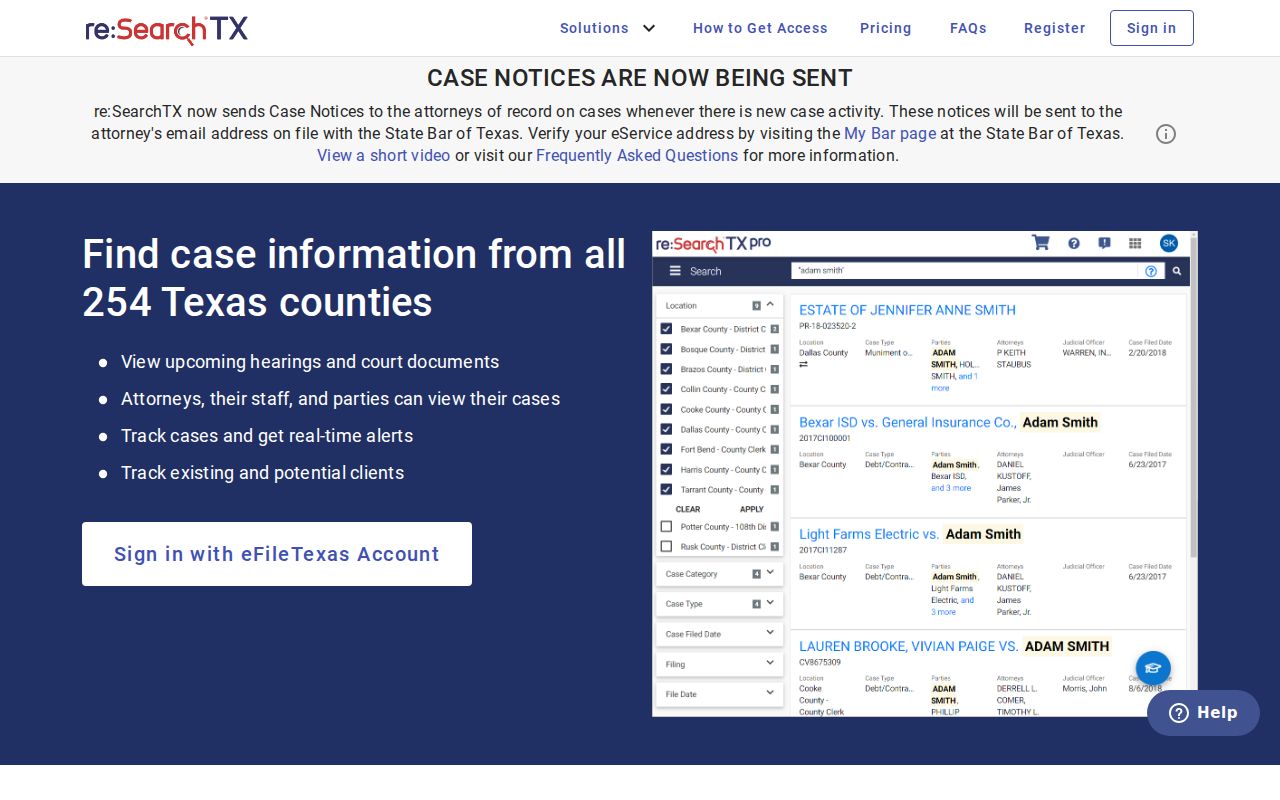
The search interface sits on a statewide layer, so the clerk remains the source of any certified or locally confirmed copy.
Searching by Case Number
A cause number often beats a name for precision. Common names can return matches you cannot tell apart. Parmer County's public pages publish no single case-number pattern covering every court. District, county, justice, and municipal courts may each assign identifiers under separate systems. Use the exact court-issued cause number printed on the citation, notice, pleading, or order. Keep the punctuation, prefixes, and leading zeroes.
If the exact value fails, check whether the number belongs to Parmer or Bailey County, because the 287th District Court serves both. Then ask the clerk about dropping a prefix or suffix. For a traffic or fine-only matter, call the JP or municipal clerk listed on the citation. Do not send that number to the District Clerk. A payment confirmation number is not a cause number.
Start Parmer County Case Searches
Naming the court beats a broad name query. A felony generally starts with the 287th District Court, reached through the District Clerk at 806-481-3419. County-court matters go to the County Clerk or County Court line at 806-481-3383. Justice cases land in Precinct 1 in Friona, Precinct 2 in Bovina, or Precinct 3 in Farwell. City ordinance and many Class C cases stay local. The named municipal court handles those.
Quick route: Match the court on the newest record, then use its clerk, cause number, and date range before trying a broad Parmer County name search.
This routing rule also keeps two tools straight. The OCA judicial directory finds courts and judicial offices by Court Type, Court of Appeals District, County, or Administrative Judicial Region. It does not search case dockets. Pin down the court there. Case data then comes from the clerk or re:SearchTX, and the Parmer County District Clerk page gives the local district contact and record duties.
The official OCA directory source illustrates the court-finder fields available for Parmer County.
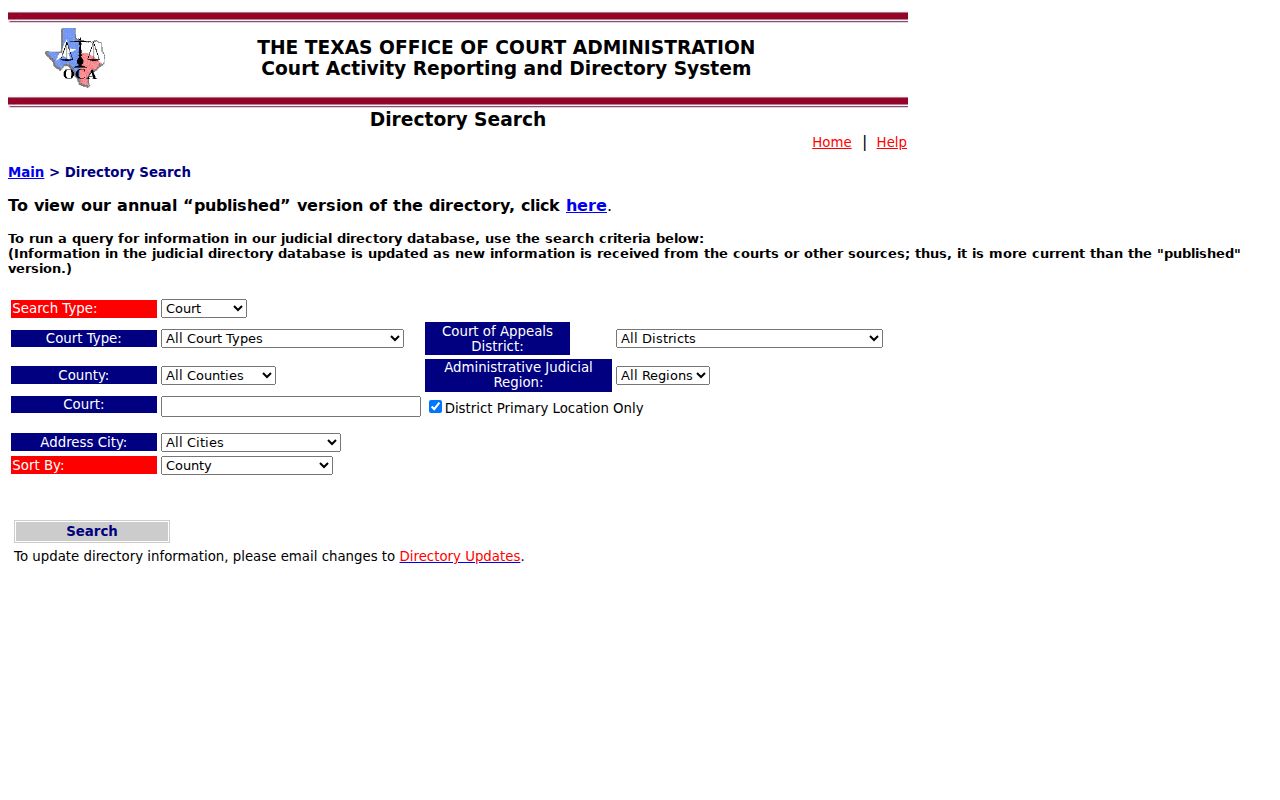
County and court-type filters help route a request. They return no parties, filings, or case events.
What a Case Search Returns
A public result can carry enough metadata to identify a likely match and trace the docket in order. Depth varies with the court, case type, account, and electronic coverage. Read the case header first. Then work through the dated register. A filed motion is a request, not a ruling. A hearing entry is a scheduled event, not proof the hearing occurred, and the later order or judgment supplies the result.
| Cause Number | The court’s identifier; Parmer County has no published universal format. |
|---|---|
| Style or Parties | The case caption and procedural roles, subject to access limits and redaction. |
| Case Type | Criminal, civil, family, probate, justice, municipal, or another court category. |
| Filed Date | The date the case or a listed document entered the clerk’s records. |
| Status | Open, pending, inactive, disposed, or another court-defined state. |
| Events | Filings, service, pleas, motions, orders, settings, resets, and disposition entries. |
A result row can be only an index. The linked filing image, signed order, and certified judgment are separate records. Pin down the exact docket entry first. Then ask the clerk about a plain or certified copy.
Parmer County Case Filing Details
Case Details describes the whole case. It can list the cause number, court, parties or roles, filing date, case type, status, and events in order. Filing Details covers one entry. Think a pleading, motion, order, or judgment. The filing record may show metadata even when the image is closed to the public or costs a per-document charge.
| Record layer | What it answers | Where to verify |
|---|---|---|
| Case details | Which case and general status? | Responsible clerk |
| Filing details | What was filed and when? | Docket entry and document image |
| Certified copy | Is this clerk-authenticated? | District, county, JP, or city clerk |
An electronic result from Parmer County is not a certified copy. The clerk's certification turns a printout into an official document, and a statutory charge may apply. Request it only when a stamped copy is genuinely required.
Parmer County Case Search Contacts
District cases in Parmer County go through Sandra Warren, the District Clerk, while county-court matters sit with the County Clerk's office. The Justice of the Peace and municipal clerks each keep their own case search channel for the tickets and filings in their courts. Call with the cause number and court name first. That narrow request lets staff pull the right docket instead of treating a payment site or directory as a full docket database.
Statewide vs County Case Search
re:SearchTX is the statewide electronic starting point for participating Texas court data. Not every portal does the same job. The Parmer County Courts page is a routing page rather than a working general search form. Its County Court Docket link currently leads nowhere. So the real answer is not one portal versus another. Pair a statewide discovery layer with local clerk confirmation. Add a counter, mail, fax, or email request when needed.
| Statewide portal | Parmer County channels |
|---|---|
| Searches electronic case, filing, text, and hearing data where available | Routes by District Clerk, County Clerk, JP, or municipal clerk |
| Useful when the exact local electronic path is unclear | Best for a known court, cause number, copy, or fresh status |
| Coverage and image access can vary | Older paper indexes and certified copies may require staff |
Both counters sit at 401 3rd Street in Farwell. The County Clerk publishes PO Box 356, an office fax, and susie.spring@parmercounty.texas.gov, while the District Clerk publishes PO Box 195 and a separate fax. No dedicated county records-request form exists. The county promises no search turnaround time.
Parmer County Case Link Gap
The County Court Docket link, known as page 178, is currently dead. A dead link is not proof a case never existed. Call the County Court at 806-481-3383 or the County Clerk at 806-481-3691, and give the court, cause number, names as filed, approximate date, and record type. For a district-level case, dial 806-481-3419 instead. A written request can ask to inspect or receive the docket sheet, a named filing, an order, or a judgment. Say plainly whether you need a plain or certified copy. Ask for a fee quote too. For a JP or municipal record, use the office printed on the citation. GovRec and other payment pages do not prove that a full Parmer County case register sits online. A broken county link only changes your route. It does not erase the court record or cancel any setting.
Older Parmer County Case Search Gaps
An empty electronic result has several possible causes. The case may predate digitization, sit in a paper index, carry a legacy number, or belong to another clerk. It may simply not have reached the statewide layer yet. Restricted cases exist too. Ask the clerk about bound books, index cards, microfilm, archived files, or a manual name search. Give a narrow date range. Spell names exactly as they appeared when filed. Parmer County publishes no electronic conversion date, no nightly update schedule, no result cap, and no promise of public-terminal access. That gap makes staff confirmation vital for historical and genealogy work. A clerk can often locate the docket index even where no digital document image exists. Name the specific event or record you want. Avoid requesting every file tied to a broad name.
Parmer County Case Search Requests
When electronic search fails, mail, fax, email, and an in-person counter request all still work. Include the court, the exact cause number, names as filed, a date range, and the docket entry you want. Ask about the fee before ordering copies. A docket index request differs from a request for a filed document, judgment, transcript, or certified copy.
Access and Restricted Cases
Public case search never means unrestricted access to every case and document. Texas law and court orders can hide, suppress, or redact juvenile matters, protected child information, sealed civil content, expunged or restricted criminal information, and personal identifiers. The High Plains child-protection calendar can display a date. The case style and underlying family records stay protected. A missing case can still exist. Ask the clerk what public docket metadata may be released. Ask as well whether a specific document can be copied. Unsealing material may require an order. Never try to sidestep a restriction through another portal. Parties, counsel, courts, law enforcement, and other authorized recipients may hold access the general public does not.
Read Parmer County Case Search Results
A chronological review prevents the most common reading errors. Begin with the header and court. Then work through filings, service, answer or plea, motions, orders, settings, resets, judgment, and disposition in date order. Labels such as active, pending, reactivated, disposed, and inactive are often statistical or system tags, and they do not always match a local clerk's docket code.
- Docket
- The dated index of case events and settings.
- Filing
- A document entered in the clerk’s record.
- Order
- A judge-signed ruling or direction.
- Reset
- A move from one planned setting to another, not a final result.
- Disposition
- The result or status recorded for the case.
For a current hearing, compare the Hearings view against the latest signed notice. Then confirm the date with the local clerk. For a final outcome, read the judgment or disposition order. Do not trust a short status label. The label is only a summary. That habit keeps a Parmer County case search anchored to what the court actually recorded.